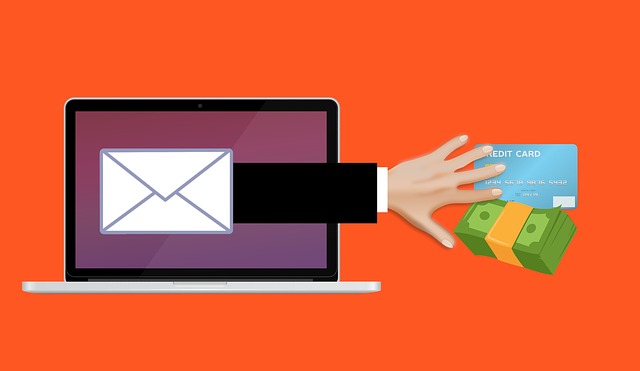
The takedown of the Kratos phishing kit this week is a useful case study. It shows exactly how an MFA bypass phishing attack works in practice, not just in theory. German and US authorities dismantled the service. Police estimate it had around 1,800 paying customers, running 15,000 campaigns a month against Microsoft 365 users. If your business relies on MFA as its main defence against account takeover, the mechanics of Kratos are worth understanding. The same technique is used by kits that weren’t seized this week.
Table of Contents
How MFA Bypass Phishing Gets Past a Login You Already Approved
Most staff, and plenty of IT managers, think of MFA as a lock on the front door. Type a password, approve a prompt, you’re in. What Kratos exploited is what happens right after that door opens.
When someone logs into Microsoft 365, a successful sign-in creates a session cookie. It’s a small piece of data that tells Microsoft’s systems “this browser has already proven who it is, don’t ask again.” That cookie is what lets you stay logged in as you move between Outlook, Teams and SharePoint. You don’t need to re-enter a code every few minutes.
Kratos worked by sitting invisibly between the victim and the genuine Microsoft login page. The victim typed their real password and approved their real MFA prompt, so nothing looked wrong to them. But because Kratos was relaying the exchange, it captured the session cookie the moment Microsoft issued it. From there, the attacker loaded the cookie into their own browser and walked straight into the account. No password, no MFA prompt needed, because Microsoft’s systems believed that browser had already proven itself.
Why this matters more than a normal phishing email
A standard credential-phishing email just asks for a password. That’s dangerous but limited: if MFA is switched on, a stolen password alone usually isn’t enough to get in. Session-cookie theft removes that safety net entirely. It works whatever the entry point: an email link, a QR code, or any other social engineering trick. This kind of MFA bypass is treated seriously for that reason. “We have MFA” becomes a partial answer, not a finished one.
Investigators say Kratos operators didn’t stop at reading email once inside an account. Stolen access was used for business email compromise and further data theft. It was also used to send phishing onward to the victim’s own contacts and clients. One compromised inbox became a launchpad against everyone that person emails regularly.
What actually reduces the risk
None of the fixes here require ripping out MFA. Most don’t need new software either, just settings most businesses already have access to. The goal isn’t to make MFA bypass phishing impossible, it’s to make a stolen session cookie far less useful once someone has it.
- Turn on Conditional Access. Microsoft 365 and Entra ID support policies that check the device and location a session is being used from, not just whether login succeeded once. A stolen cookie used from a new device or country can be forced to re-authenticate.
- Shorten session lifetimes for sensitive accounts. Finance, HR and admin accounts should re-authenticate more often than a general staff mailbox. A shorter window limits how long a stolen cookie stays useful.
- Watch sign-in logs, not just failed logins. A successful sign-in from an unfamiliar IP address, straight after a legitimate one, is a stronger signal of session theft. A string of failed attempts alone is a weaker one.
- Treat QR codes as untrusted links. One confirmed Kratos campaign used tax-themed QR codes precisely because staff have been trained to check links, not images. The same caution should apply to both.
- Run phishing simulations that reflect this technique. A simulation that only tests whether staff spot a fake login page misses the point, when the real threat is a proxy that shows them the genuine page.
What the takedown doesn’t fix
Seizing 200-plus servers, and arresting the alleged developer in Indonesia, stops the current infrastructure. But it doesn’t undo what roughly 1,800 customers already paid for. Anyone holding a copy of the kit can likely rebuild on new servers. Rival kits offering the same MFA bypass phishing technique, including one Microsoft tracks separately as SneakyLog, are unaffected by this action.
That’s not a reason to treat MFA as pointless. It’s a reason to treat MFA as one layer, not the whole wall. Most Microsoft 365 plans already include the tools to watch sessions closely. Few businesses have actually turned them on.
Where to draw the line between “good enough” and “actually resistant”
Codes texted or pushed to a phone remain vulnerable to this same MFA bypass phishing technique. The code still passes through the attacker’s proxy on its way to the real Microsoft page. Phishing-resistant methods work differently. Hardware security keys or passkeys are tied to the specific device being used. That closes the gap, because the proof of identity can’t be lifted and replayed elsewhere.
Rolling that out across a whole workforce is a bigger job than most businesses will take on this quarter. Start with admin accounts, finance staff and anyone who touches client data. That gets you the most protection for the smallest first step.
The rest is process, not technology. Someone needs to own sign-in log review. Staff need an easy way to report a login prompt that felt off, even after they’ve already said yes to it. Most session-theft cases only come to light through that kind of review. Few tools catch it as it happens.
Subscribe to our newsletter
Honest updates, straight to your inbox. Unsubscribe any time.